Showing posts with label Flipcharts. Show all posts

Monday, December 12, 2016

ActivInspire connects with Classflow


Remember these guys? 
Image result for activexpressionImage result for activoteWow! They were really the cat's pajamas! 

Image result for cat's pajamas


But now, their batteries are dying, kids don't remember how to text with a number pad, etc... 

So how do we gather feedback from our students with all these fantastic flipcharts we already have? 


This button right here should be at the top of your ActivInspire Flipchart.  
(If not, let a techcoach know you need updated!)

Go ahead!  Click Connect!
Now just click the "G" to sign in with your @smdutch.net account!
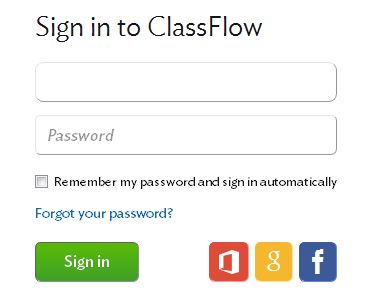

Here comes the money!  Your class code.  Best part - it NEVER changes!  So, make that poster for your classroom that says: 

classflow.com/student 
> Join
> Q9772 (use your unique class code)

*Students do not need an account & you don't have to pre-prepare anything!

Image result for activinspire expresspollAll the student needs is a device with the Internet and you are in.  

Use your Express Poll button to send out these types of questions on the fly.  No prep needed.

- Multiple Choice
- Text Response
- Numeric Response
- Sort in Order 
- True / False 
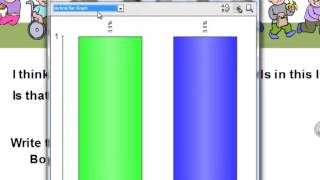
Image result for activinspire expresspollStudents will receive a copy of your slide with a place to submit an answer.  All the data comes to your flipchart with an immediate pop up graph of responses.  

AND - as if there couldn't be more - the responses are stored in a separate page at the end of your flipchart for you to reference later for individual data collection.  

Unique ideas I used last week: 

- Send the slide to your students to take notes without squinting to see the board.  Send them a Yes/No question to find out when they are finished copying.

- Instead of sending students to the board to go over answers, have a representative from each group send their answer to the board as the response to a text or numeric question.

'Tis the season to RECEIVE!  Contact a techcoach for a demo before break!


Monday, October 12, 2015

Why Flipchart?

Why I have flipped for flipcharts....  


In the 13 years that I have been teaching, I have made the transition through: 
- chalkboards
- overhead transparencies
- PowerPoints w/ a projector

to finally....... Promethean Boards.


Yes, you can still use your Word documents and PowerPoints and project them onto the board - with no additional work.  But with a few extra clicks - one time, you can be on your way to what I have found to be the most organized, flexible and time-saving lessons that I have ever had.


WARNING: What I am about to discuss is for everyone - If you can send an email with an attachment, you can do this!  (we will save the complex, interactive fun for later)


Before we get to the "how" let's talk about the "why"....  


My Top Six Reasons to Flipchart ..... Daily:


6. Easily Print Notes for ABS and IEP students - Need a list of activities and notes from today's lesson?  If you have it all on the flipchart, just hit print.

5. Sub planning is a breeze - Take the activities/slides you want the sub to do, put them in a separate chart, type or speak directions for the students to receive on each slide, snip a seating chart to the front and you are done.  Send the file to a neighbor teacher to pull up for your substitute in the morning or leave it on a jump drive.  Print a copy just in case.  No reinventing the wheel and your class stays on track.

4. Bellringers / Objectives - Get the students working right away with a bellringer and/or state your objective.  Put yesterday's exit slip results up.  Elementary teachers: there are great morning routine ideas out there for date and weather reporting. 

3. Keep the whole class on track - Easily avoid the "What page are we on?" by having it posted on a slide.  I either have a picture of the worksheet or a picture of the textbook on the board with the page number.  It makes for a quicker transition and less interruptions. Also, quicker transitions have not only saved instructional time, but have made classroom management much easier.

2. Easily adjustable plans - Didn't get to all of the activities you wanted to yesterday because of the fire drill?  No problem, copy and paste the missed slides/activites into tomorrow's lesson.  Need to go over something again?  Flashback to an old slide with a click of a button.  Want to change something for next year? Leave yourself a note on the slide.

1. Only open 1 File - Before Flipcharts, in any given class, I would have the following open:
- My lesson plan
- My PowerPoint
- PDFs of our worksheets
- Word Doc template of the notes
- One or more Websites
- Media Player for sound and/or video

Not only is this an organizational nightmare (especially when you have several preps), but this is also very time consuming.  Now all of the above are in one file.  


Want to see if Daily Flipcharting is for you?

Try one or more of the following: 

a. Start with a Welcome/Bellringer slide.
b. Put each activity for that lesson on subsequent slides
     (no need to be fancy - just functional)
c. Have notes?
         -  Use the snipping tool to copy and paste from Word
         -  Import a PDF  (File - Import)
         -  Import a PowerPoint (File - Import)
d.  Have a file or website you want to use?
         -  Insert a link (Insert - Link)
e. Want to play a video or sound clip?
         -  Insert a link or embed the media 
                                            (Insert-Link or Insert-Media)
f. Need to leave yourself a note about how to do an activity?
         - click CTRL B  and then the Notepad 
         - type or copy/paste your instructional notes there
g. Want to record oral instructions?  
         - Use the sound recorder tool (CTRL SHIFT R)
h. Still want a copy of your lesson plan to refer to?
         - Copy and paste it into a slide at the beginning or end of your                                        Flipchart


Now lastly -  ENJOY the ease of opening one file at the beginning of class.


See your TechCoach for assistance in putting all of your lesson's activities into one user-friendly file.  Start with just one, to see if it's for you.

jtamburlin@smasd.org

avollmer@smasd.org

acatalone@smasd.org


*Don't forget to share your thoughts and questions below.  Leave a comment.*

Tuesday, September 22, 2015

Promethean Planet For Flipcharts

"What's a flipchart?" 
                     - Anonymous SMASD Educator

The above quote, from an email I received, motivated this week's SMASD TechSpot: 


We have all seen, and perhaps often click, on a little icon that looks like this:


Well, believe it or not this icon is way more than just a digital chalkboard!
Okay - so maybe you knew that. Perhaps you just thought that
 you didn't have the time to create interactive flipcharts, 
let alone the time to learn how to make them.

     Today at SMASD TechSpot we remind you that you don't have to reinvent the wheel.  Go ahead - put that new topic in your lesson plans, without the fear of having to spend hours authoring a presentation from scratch.  If you can do a Google search - you can easily find a flipchart to accompany your new or outdated lesson.  Hopefully, it is one that gets your kids up to the board and  you back in interacting with the students.  Don't worry - if you aren't sure how to work the flipchart, hand over the pen - the students will be eager to show you.


STEP 1:  Go to www.prometheanplanet.com and login / or register.  

Here is an example of a registration: 
(note - no need to find your school - you can skip it)


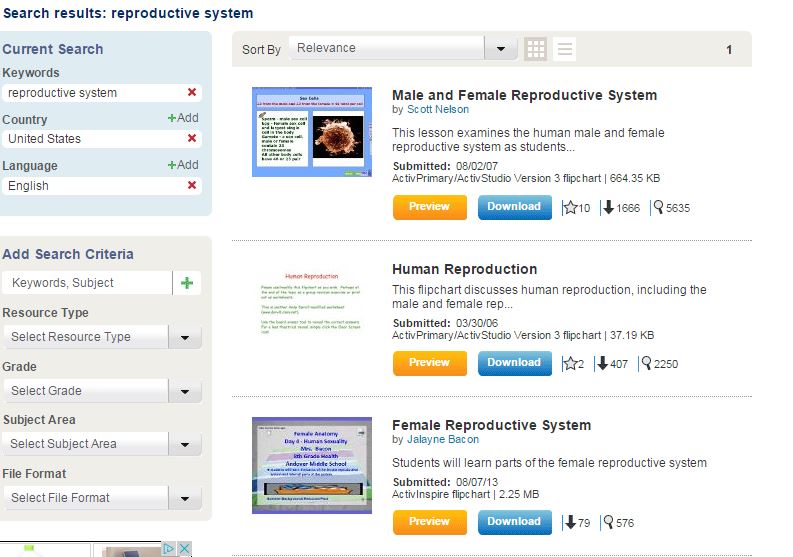
STEP 2:  Conduct a search from the homepage.


STEP 3:  Preview and/or download your flipchart

Click the orange to preview - or the blue to download.  
When downloading it will appear at the bottom of your chrome browser.  Upon clicking it will open up directly in ActivInspire.

STEP 4:  Edit and Save.  

Go through your chart to see what you want to eliminate and/or edit to make it your own.

Be sure to check any notes that the author may have left by clicking the Post-It note in the upper right corner.  If there are special instructions on how to use the page, the note will appear.


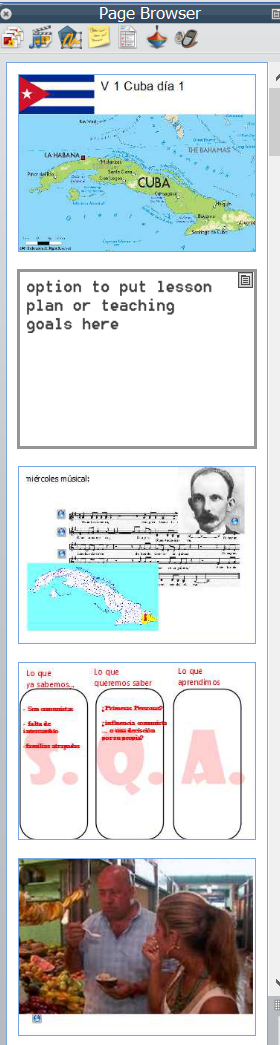
Here are some example pages from a flipchart on fractions - that will get the students up to the board, and keep your external files at your fingertips.


SMASD Testimonials: 

"Promethean Planet is a great resource for busy teachers!  I love that you can search by grade level and content to make it easy to find what you're looking for!  There are so many resources for English.  One of my favorites is a flipchart I downloaded on the writing process.  Not only does it explain the process, but gives examples and activities for the kids to use.  Many flipcharts can be downloaded and used immediately, but you can always adjust them to fit your teaching style!  It's perfect for those of us who always seem to be short on time."          ~ Miss Fera


"I use a battleship game for review.  It's nice that it is already made up.  I just add the problems.  You can find ready-made flipcharts on most subject matters."         ~ Mrs. Beck


Need help finding a flipchart?  - Email us: