See the video below or click HERE for just the slides to see how you can leverage Wordwall.
Tuesday, April 20, 2021
Make the Most Out of Wordwall.
Tuesday, April 13, 2021
Flippity for Student Engagement
Now that SMASD is beginning its 1:1 efforts, we need to rethink how we can leverage devices in the classroom. Before, we would not have thought to use technology for something short and sweet. Devices were difficult to come by, and you didn't want to hog them for a whole period for a 5-min activity. Now, opportunities for quick bell ringers, formative checks for understanding and extension activities for fast finishers are available.
Let's take a look at how I leveraged Flippity Manipulatives this week as a bellringer for my 7th graders.
Click HERE for the 📼 Video or HERE for just the slides.
Link to my manipulatives from today ➡ Click HERE.
Don't hesitate to reach out to brainstorm more ways you can make the most of the new 1:1 environment.
Tuesday, April 6, 2021
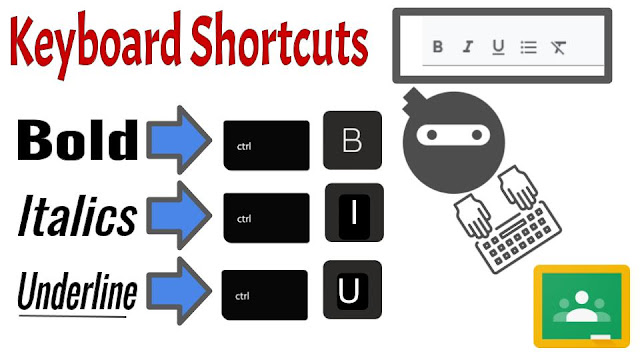
Rich-Text Editor Arrives to Classroom
Utilize text formatting in Google Classroom to improve communication! With the rich text editor at the bottom of your assignment and announcement text entry box you can...
- bold
- italics
- underline
- create a bulleted list
Tuesday, March 16, 2021
Padlet: Archive, Clear Posts, and Reuse
Padlet is SMASD's go-to collaborative digital bulletin board.
- immediate change of audience from teacher only to whole class or to 💡 multiple classes 💡
- ability to reply to posts, fostering dialogue
- differentiation with the variety of post types
- text, image, video, screencast, url, audio, draw (I see 👀 you math teachers!!) and more
- collaboration
- real-time interactions and feedback
- Ask students to SIGN IN WITH GOOGLE before posting. This allows them to edit their post if they make a mistake or accidentally post too soon. It also automagically puts their name on it!
- When reviewing student posts, use CTRL + F to search for a student name. You will immediately know how many times he/she contributed to the board.
- Want posts to be private for a high-stakes assessment? - Turn on moderation in the settings.
Tuesday, March 2, 2021
Inspiration Station: Google Slides - Class/Group Slide Deck
One of the reasons we love tools like Nearpod & Classkick is so that we can increase student participation and engagement in the classroom. The ability to see all student responses real-time offers a unique opportunity for timely feedback. In addition, having all students, or groups of students, on individual slides in the same deck has built-in potential for peer scaffolding and collaboration.
Instead of a straight-up how-to tutorial, today I will share with you a scaffolded discussion strategy that I used with Spanish 8. The goal is to share out and possibly to inspire you to do a spin-off of this activity with your students.
This strategy models collaborative slides and leveraging the "Master Slide" layouts.
Watch 0:00-3:00 to learn how to set up and deliver a group Google Slide Deck.
*Can be delivered through SeeSaw as well!
Watch 3:00-7:00 to see how I had students interact with the slides, and how I changed the prompts through the master slide layouts.
- there would have been significantly less student participation
- I would not have been able to see all responses in real-time
- I may have lost teachable moments based on student responses
- students would not have benefited from the guided pace, scaffolding, and ability to learn from their peers
- there would have been a lost potential for future spiraling, collaboration, elaboration on the discussion
Thursday, January 28, 2021
Snow Day & Semester Change Tips and Ideas
Check out the video and/or slides below to find out more about:
- Quickly changing due dates in eSD after a snow day
- Copying Assignments from class to class in eSD
- Copying Classes in Google Classroom
- Creating a new Google Classroom for the new quarter